Eyeglass prescription guide.

ZEISS Optical Inserts for Apple Vision Pro.

The following guide explains the prescription information you need to provide when ordering ZEISS Optical Inserts.1

Review your distance prescription.

Ensure you have your everyday eyeglass prescription where all information is clear and valid before uploading.1 Please note that not all documents look the same. Information may be displayed differently.

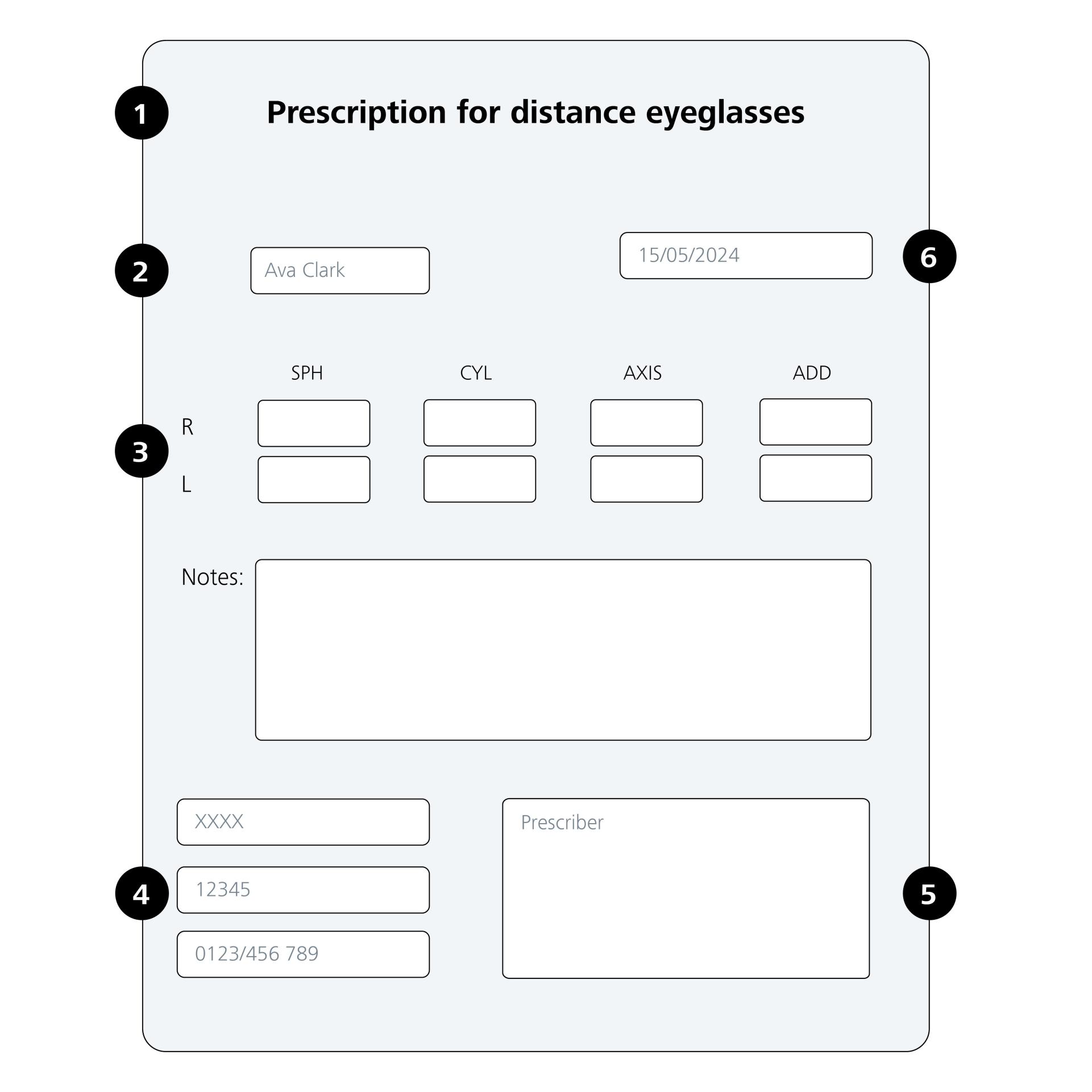
Check if your prescription includes the following elements:

  1. Make sure you have a distance prescription (see instructions below on how to check).
  2. Make sure that your name is on your eyeglass prescription.
  3. Your vision correction details for eyeglasses. If you have a value in Cylinder field then you also need to have a value in Axis field, and vice versa. 
  4. Your eyeglass prescription must include the prescriber’s US address (e.g. name, address).
  5. Prescriber signature should be clearly visible on your document. Electronic signatures are also valid.
  6. Expiration and/or Examination date is required.

Please note that the image shows a example prescription layout (may differ across the states).

  • To order ZEISS Optical Inserts you will need a distance prescription, which is what is used for your everyday eyeglasses. Contact lenses or task-specific prescriptions (e.g. Computer or office lenses) do not qualify.

    The prescription type is usually indicated on the document, in places like the (a) prescription title, (b) notes, checkboxes or (c) footnotes. Take a careful look at your prescription to see if it contains any of the following words:

    • Contact lenses
    • Computer glasses 
    • Near vision 
    • Office lenses 
    • Occupational lenses Enhanced reading glasses

    If any of these words are present, you don’t have a distance prescription, and you’ll need to request one to your eyecare professional. If you are still unsure of your type of prescription, please consult with an eye care professional.

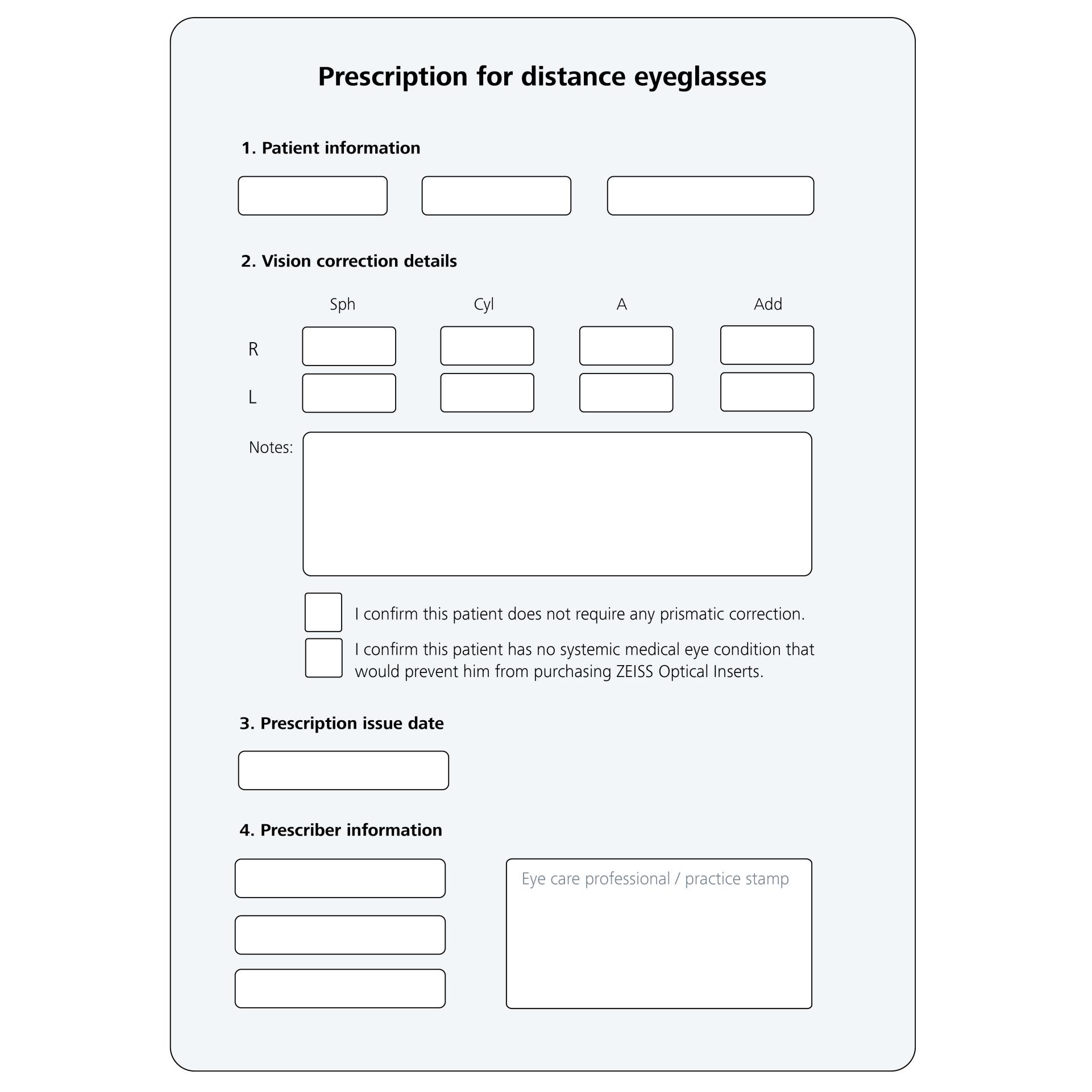
    Please note that the image shows a example prescription layout (may differ across the states).

  • Sphere (Sph) is the main correction and values must include minus ("-") sign for nearsightedness or plus ("+") sign for farsightedness.

    Cylinder (Cyl) is an optional correction for astigmatism with values either negative with a minus ("-") or positive with a plus ("+") sign. When both eyes have this additional measurement the signs will always match from eye to eye.*

    Axis (a) refers to the angle of the correction for the astigmatism (Cyl) in the eye from 1 to 180 degrees and is always linked to a cyl value.

    Addition (Add) refers to additional plus magnification that is needed for vision up close.


    *If you have a value in Cylinder, then you also need to have a value in Axis, and vice versa.